Quick Answer
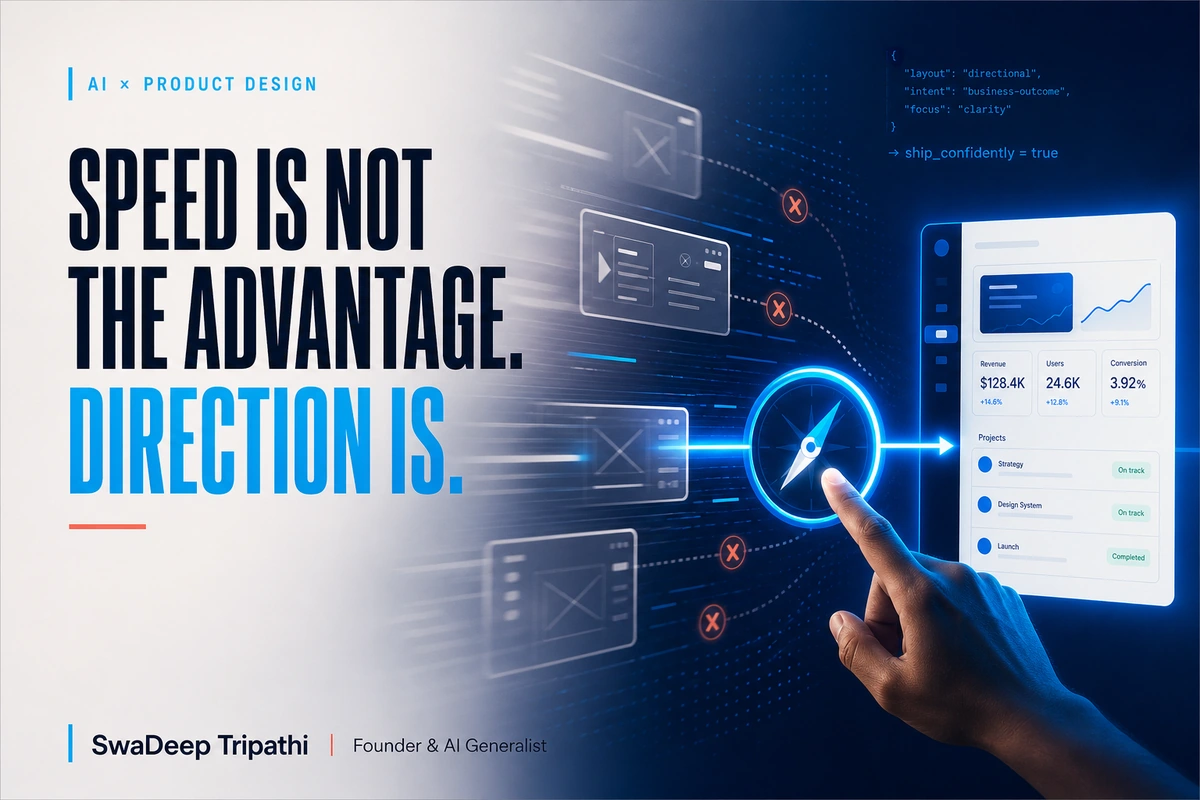
GPT-5.6 in Figma Make can help a team move from a prompt or existing design to a working prototype faster. The real advantage, however, comes from giving that speed a clear direction. Before generating screens, define the user, the business decision, the trust signals, the design constraints, and the test that will determine whether the prototype deserves to move forward.
Figma added GPT-5.6 to Figma Make on July 9, 2026. In its announcement, Figma said the model produced stronger first passes in its early testing, handled responsive layouts and interactions, and could work from an existing Figma Design file. That is useful progress for designers, product teams, founders, and agencies.
It is also easy to misread the change.
The important story is not that another model can generate an interface. It is that producing a plausible interface is becoming cheaper and faster. When execution speeds up, the cost of weak direction becomes more visible. A polished prototype can still solve the wrong problem, hide a confusing offer, or create trust issues that no animation can repair.
For an Indian SME, this distinction is practical. A clinic may need a booking flow that works for people using a low-cost Android phone. A coaching institute may need parents to understand fees and outcomes before they fill a form. A local retailer may need a WhatsApp-first journey rather than a complex account setup. These are not model choices. They are business and design choices.
What GPT-5.6 changes inside Figma Make
Figma Make is a prompt-to-app environment for building and refining functional prototypes. According to Figma's official release notes, GPT-5.6 is available through the model selector on all plans. Figma says its internal tests showed quality and speed improvements on the first pass, including responsive layouts, working interactions, and fidelity to an existing design.
That gives teams three useful advantages.
First, an idea can become tangible sooner. A written concept is open to interpretation. A working prototype gives people something they can click, question, and test.
Second, teams can explore more than one direction before committing development time. A founder can compare a consultation-led landing page with a price-led version. A product team can test whether onboarding should begin with a goal, a template, or an import step.
Third, early discussion can become more specific. Instead of debating whether a feature feels simple, the team can watch a user attempt it. That turns an opinion into an observable problem.
Figma also reports that GPT-5.6 can build from existing design context. This matters because useful AI design work rarely starts from a blank canvas. Most businesses already have a logo, colour palette, type system, product rules, approved copy, and technical boundaries. Bringing that context into the build gives the model a better chance of producing something relevant.
The model still does not know which tradeoff is right for your business. It cannot decide whether one extra form field will improve lead quality enough to justify lower completion. It cannot know which claim a regulated business is allowed to make. It cannot decide when a visually exciting interaction will make a low-bandwidth experience worse.
Those decisions need direction.
Faster production raises the value of product judgment
When producing a screen took days, teams had a natural pause before building. That pause was not always efficient, but it often forced a conversation about scope. Generative tools can remove much of that friction. A prompt can now create enough polish to make an unfinished idea look settled.
That creates a new risk: visual confidence can arrive before strategic confidence.
A prototype may have clean cards, sensible spacing, and a working menu. Yet the user may not understand what the product does. The call to action may ask for commitment too early. The proof may appear after the point where doubt begins. The mobile layout may be technically responsive but still awkward for the actual context of use.
Design judgment is the ability to notice those gaps and decide what matters most. It connects a business goal to a user need, then turns that connection into hierarchy, language, interaction, and evidence.
This is why AI does not make design less important. It makes decorative production easier, while making clear reasoning more valuable.
Vedam Vision's article on building AI-powered websites in 48 hours reaches a similar practical conclusion. AI can compress drafting, ideation, and structuring, but positioning, conversion logic, trust signals, and quality control still require human ownership.
Five decisions to make before you generate a screen
1. Who is the user in this specific moment?
"Our customers" is not a useful design brief. Describe the person and the moment closely enough to guide choices.
A hospital appointment flow for an existing patient has a different job from a first-time enquiry page. A distributor checking stock during a sales call has different needs from a consumer browsing at home. A restaurant owner reviewing campaign performance between service periods needs a different dashboard from a marketing analyst building a monthly report.
For Indian businesses, device, language, payment habits, and support expectations can change the interface. Ask whether the user is likely to arrive through WhatsApp, search, an advertisement, or a referral. Ask whether they need English, Hindi, or regional-language support. Ask whether a slow connection or older device is common.
These details make a prompt useful. Without them, the model fills gaps with generic assumptions.
2. What decision should the interface make easier?
Every important screen should help someone decide or act.
The decision might be whether to book a consultation, compare two plans, trust a service provider, upload a document, or return to an unfinished task. Write that decision in one sentence before generating the interface.
Then define what the user needs to make it. A buyer comparing service packages may need scope, price logic, proof, and a clear next step. A patient choosing a doctor may need speciality, availability, location, and credentials. A founder reviewing leads may need source, urgency, budget fit, and the last conversation.
If the prototype makes the wrong information prominent, visual polish will not rescue it.
3. What should the user notice first?
Hierarchy is a business decision expressed visually. It tells the user what matters now and what can wait.
AI-generated interfaces often include all the expected pieces. The harder question is whether they appear in the right order. A landing page may need the outcome before the feature list. A dashboard may need the exception before the average. A checkout may need the final payable amount before a promotional message.
Ask the team to name the first three things a user should notice. Test the prototype at a glance. If everyone gives a different answer, the hierarchy is not doing enough work.
4. What will make the experience trustworthy?
Trust is not a badge added at the bottom of a page. It is built through consistent promises, visible proof, understandable language, predictable interactions, and honest limits.
An Indian SME may need to show a GST-ready invoice, a physical address, a WhatsApp support route, delivery coverage, cancellation rules, or recognisable payment methods. A professional service may need qualifications, case studies, process clarity, and realistic timelines. A software product may need data-handling information and a clear explanation of what automation can and cannot do.
Put these requirements in the prompt and the acceptance criteria. Do not ask the model to invent testimonials, client logos, certifications, or performance numbers. Use placeholders until approved evidence is available.
5. What result will prove the direction is worth keeping?
A prototype is a question, not an answer.
Decide how the direction will be tested. For an internal tool, observe whether a team member can complete a task without help. For a lead page, ask target users to explain the offer and next step. For onboarding, measure where confusion appears and whether people can recover.
The test does not need a large research budget. Five focused conversations can expose obvious language and flow problems. A sales team can review whether a lead form captures what it actually needs. A support team can identify edge cases that the happy path ignores.
Speed creates room for more learning only if the team uses the saved time to test.
A practical Figma Make workflow for a small team
Start with a one-page brief. Include the user, the business objective, the decision the interface should support, required content, design-system references, technical constraints, and prohibited claims.
Next, prepare real context. Attach the relevant Figma frames, brand guidance, approved copy, product rules, and a small set of real content examples. Avoid feeding the model an unfiltered folder. Good context is selected and current.
Then ask for one focused flow, not an entire platform. A useful first prompt might cover a three-step enquiry journey or one dashboard task. Review structure before requesting decorative refinement.
After the first pass, run three reviews:
- Business review: Does the flow support the intended outcome and capture the information the team needs?
- User review: Can the target user understand the offer, complete the task, and recover from confusion?
- Delivery review: Can the design be implemented within the actual stack, timeline, content, and compliance limits?
Record the changes as decisions, not vague preferences. "Make it more modern" gives the system little direction. "Place delivery coverage before the purchase action because availability is the buyer's first concern" is specific and testable.
If the prototype may become part of a broader automation or customer journey, Vedam Vision's AI solutions and automation service explains how isolated tools can be connected to practical workflows, handoffs, and business systems.
Where teams commonly go wrong
The first mistake is prompting for a fashionable style before clarifying the job. A cinematic interface may earn attention in a review and still make the task harder.
The second is accepting invented content. Generated testimonials, prices, customer names, or product data can accidentally reach a stakeholder or a live build. Label sample data clearly and replace it before approval.
The third is treating the first pass as a specification. A convincing prototype can hide missing states such as failed payments, empty results, slow loading, invalid input, permissions, and cancellation.
The fourth is measuring output instead of learning. Producing ten versions is not progress if nobody can explain what was learned from them.
The fifth is losing the design system while moving quickly. Reuse approved components, tokens, and content patterns. Figma's own updates emphasise building from existing design context for a reason: consistency becomes harder when every prompt starts from zero.
What this means for Indian SMEs and agencies
Small teams can benefit from this shift because they often have more ideas than production capacity. A founder can make an early service concept visible before paying for a full build. An agency can compare landing-page directions with a client before development. A product team can bring sales, operations, and support into an earlier review.
The opportunity is not to remove designers or developers. It is to use their time where judgment has the highest value.
Designers can focus on framing, hierarchy, interaction quality, accessibility, and systems. Developers can assess feasibility, data, security, performance, and maintainability earlier. Founders can see the consequences of an idea before committing a large budget.
The result should be fewer expensive misunderstandings, not simply more screens.
Direction is the real multiplier
GPT-5.6 in Figma Make can reduce the distance between an idea and something a team can experience. That is a meaningful capability. Figma's early results suggest stronger first passes, responsive layouts, working interactions, and better use of existing design context.
But a fast first pass is still a first pass.
The team must decide who the experience serves, what decision it should support, which proof it needs, what constraints are real, and how the direction will be tested. Those choices turn generation into product work.
Use the model to make ideas visible sooner. Use human judgment to decide which idea deserves to move forward. If your business needs help turning AI-assisted prototypes into a clear, testable website or workflow, you can request a free Vedam Vision audit to identify the highest-impact gaps first.
Frequently Asked Questions
What is GPT-5.6 in Figma Make?
GPT-5.6 is a model option in Figma Make, Figma's prompt-to-app environment. Figma announced its availability on July 9, 2026 and says it can create functional first passes, responsive layouts, interactions, and prototypes informed by existing design files.
Is GPT-5.6 available on every Figma plan?
Figma's July 2026 release notes state that GPT-5.6 is available in Figma Make on all plans. Access details and usage limits can change, so teams should check the current plan and AI-credit information in Figma before planning production work.
Can Figma Make replace a product designer?
It can accelerate prototyping and iteration, but it does not own the business goal, user research, tradeoffs, accessibility, proof, or final quality. A capable designer uses the faster production loop to explore and test direction more effectively.
How should an Indian SME start using Figma Make?
Start with one small flow tied to a real business decision. Provide approved brand and product context, create a working prototype, and test it with the people who will use or operate it before expanding the scope.
What should a team check before building a generated prototype?
Check the offer, hierarchy, real content, edge cases, accessibility, technical feasibility, privacy, and trust signals. Remove invented data and confirm that every important interaction supports the intended user and business outcome.